
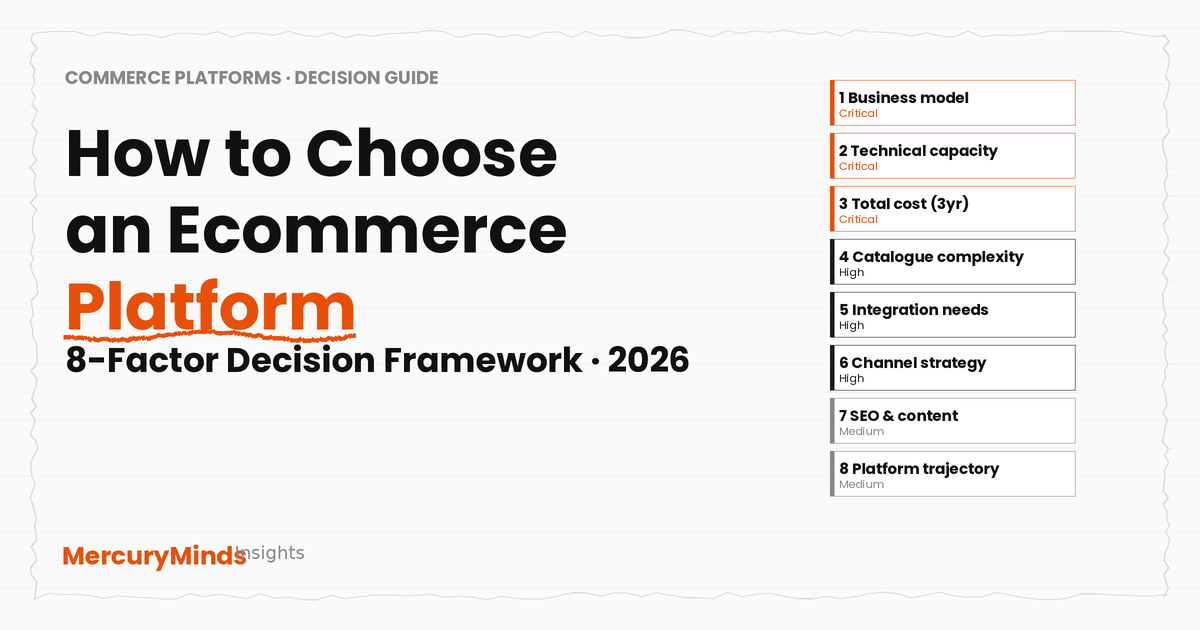
How to Choose an Ecommerce Platform: A Decision Framework (2026)
The short answer: There is no single best ecommerce platform. The right platform is the one that scores highest across eight specific factors for your business — business model, technical capacity, true total cost of ownership, catalogue complexity, integration requirements, channel strategy, SEO needs, and platform trajectory. Platform licence fees typically account for only 20–40% of total first-year cost. The platform decision is a business decision, not a feature checklist. This guide gives you the framework to make it systematically.
Global ecommerce sales reached approximately $6.88 trillion in 2026, representing 21.1% of total retail globally. The platforms that power those stores range from $0/month open-source software to $2,300+/month enterprise SaaS — and the difference between choosing the right one and the wrong one compounds over years. A platform that fits your business at launch but constrains your growth at $5M revenue costs more than the migration to fix it. A platform chosen for its enterprise capabilities but operated by a team without the technical resources to maintain it generates expensive ongoing costs that often exceed the price of a simpler solution.
This guide is written for founders at any stage of the decision — whether you are launching a first store, evaluating a migration, or pressure-testing a choice already in progress. It covers the eight factors that actually determine platform fit, a worked framework for scoring each, platform-by-platform verdicts, and the replatforming risk data that most comparison articles leave out. It also covers the Magento vs WooCommerce question directly — a specific comparison many founders need when they are choosing between self-hosted options.
Why Most Platform Comparisons Fail You
Most ecommerce platform comparison articles — including many published in 2026 — have two structural problems. First, they compare features without comparing total cost. A platform that costs $29/month can cost $80,000 in year one once build, hosting, plugins, and ongoing maintenance are included. A platform that costs $2,300/month may deliver lower total cost than a technically demanding open-source stack for a team without in-house engineering capacity. Second, they give a universal recommendation where none exists. Shopify is the best platform for many businesses. It is the wrong platform for complex B2B distributors, businesses in regulated industries requiring on-premise hosting, and merchants with deep ERP-integrated pricing logic that Shopify's API model cannot cleanly accommodate.
The most important insight from practitioners working on platform decisions in 2026 is this: most replatforming projects fail on the scope side, not the technology side. Teams pick a platform suited to where they want to be in five years rather than mapping their actual requirements, integration dependencies, and maintenance capacity first. The expensive mistakes are not feature mismatches — they are underestimated ERP integrations, incomplete data migrations, and SEO traffic losses from missing URL redirects.
This framework starts with your business reality, not with the platforms.
The 8-Factor Decision Framework
Work through each factor in order. The weighting labels (Critical, High, Medium) reflect the relative frequency with which each factor determines the final decision — not its absolute importance. All eight matter; the labels indicate where to start if you are pressed for time.
Before any platform name comes up: are you selling B2C, B2B, or both? Do you need company accounts with role-based permissions, negotiated quotes, shared catalogues with customer-specific pricing, purchase approval workflows, or credit limits? These B2B capabilities are not equally supported across platforms — they are the single clearest differentiator between Shopify Plus (strong native B2B since 2022, improving rapidly) and Adobe Commerce (the most comprehensive native B2B suite, built to this purpose for 15+ years).
B2C/DTC: Shopify, WooCommerce, BigCommerce, Squarespace — all capable. Choose based on factors 2–8.
B2B primary with complex workflows: Adobe Commerce or a custom build; Shopify Plus for simpler B2B.
Hybrid B2B + B2C from one store: Shopify Plus handles this well in 2026; Adobe Commerce handles it natively.
This is the factor most founders underweight — and the one that most reliably determines whether an open-source platform delivers its promised economics or becomes an expensive liability. Magento (Adobe Commerce), WooCommerce, and any self-hosted platform require someone who can manage hosting, apply security patches, handle plugin conflicts, and respond when something breaks outside business hours. That person is either on your team, contracted from an agency, or missing.
No in-house technical capacity: Shopify or Squarespace. Their managed infrastructure eliminates an entire category of operational risk.
Part-time developer or WordPress familiarity: WooCommerce is viable with managed hosting (Kinsta, WP Engine).
In-house PHP/Magento expertise or established agency relationship: Magento Open Source or Adobe Commerce becomes economically attractive.
Rule of thumb: If "who handles a Sunday night outage?" is an unanswered question, do not choose a self-hosted platform.
Platform licence fees are typically only 20–40% of total first-year project cost. Implementation, ERP integration, data migration, ongoing agency retainer, apps/plugins, and hosting make up the remaining 60–80% (Elogic Commerce, 2026). The "free" open-source platform and the $29/month SaaS platform often reach very similar total costs at the end of year one — through completely different routes.
How to model it: For each candidate platform, estimate: (a) build/setup cost, (b) annual platform fee/hosting, (c) annual app or plugin stack, (d) annual developer maintenance hours × rate, (e) payment processing fees at your projected GMV. Sum over three years. Apply a 25–40% contingency buffer — 64% of data migrations alone overrun their budget.
The specific TCO comparison for any two platforms depends on your revenue, gateway choice, and team composition. We cover illustrative ranges in the platform profiles below.
Most platforms handle catalogues up to a few thousand products without difficulty. Differentiation emerges at scale and at complexity. Shopify supports unlimited products but limits variants to 2,048 per product with three option types — sufficient for most retail, constraining for highly configurable industrial products. Magento's EAV (entity-attribute-value) architecture supports unlimited custom attributes and complex product types (configurable, bundle, grouped) natively. WooCommerce handles large catalogues but performance degrades above 5,000–10,000 SKUs on standard hosting without an external search layer and Redis caching.
Under 5,000 SKUs, standard retail: Any platform works. Choose based on other factors.
10,000–100,000+ SKUs: Shopify (auto-scaling but needs faceted search apps) or Magento (needs optimisation stack but higher ceiling).
Complex configurable products (parts, manufacturing): Magento's product type architecture is the strongest fit.
Integration complexity is the number-one cause of project budget overruns. A platform decision made without mapping integration requirements is an incomplete decision. Before finalising any platform choice, document: which ERP you run (SAP, Oracle, Netsuite, Sage, Dynamics), whether you need a PIM, which 3PL or WMS system handles fulfilment, your CRM, your marketing automation platform, and any custom pricing or configurator tools.
ERP integration deserves special treatment: pre-built connectors typically cost $5,000–$30,000; custom SAP or Oracle integrations regularly reach $50,000–$250,000 in year one (Elogic 2026). The integration cost is largely independent of platform — a custom SAP integration costs similar amounts on Shopify Plus and Adobe Commerce. What differs is the development framework: Shopify uses REST/GraphQL APIs and Shopify Flow; Adobe Commerce uses PHP modules and REST/GraphQL APIs with deeper data model access.
Standard ERP with pre-built connectors: Shopify Plus (largest app ecosystem with pre-built connectors for major ERPs).
Deep SAP/Oracle integration with custom pricing logic: Adobe Commerce or a headless approach where integration layers are platform-agnostic.
If selling across Amazon, eBay, TikTok Shop, Instagram Shopping, Google Shopping, or international markets is a primary growth motion, this factor becomes near-critical. Shopify's native integrations with 20+ channels — with inventory synced from a single dashboard — are a genuine operational advantage for multi-channel brands. Shopify Markets supports up to 50 international markets (localised currency, language, pricing, and domains) from a single store. Magento and WooCommerce replicate multi-channel capability through extensions and custom integrations, but require more setup and ongoing maintenance.
Multi-channel is core to the model: Shopify Plus is the strongest native solution in 2026.
Single-market, single-channel to start: Any platform; do not let this factor drive the decision.
Complex multi-market with local payment methods (APAC, DACH, LATAM): Evaluate platform's local payment gateway support explicitly — Shopify Payments covers 39 countries, but some markets still require local gateway integration.
For most ecommerce businesses, this factor does not determine the platform choice — all major platforms have sufficient SEO capability for standard stores. It becomes a differentiator in two specific situations: content-led acquisition strategies (where WordPress/WooCommerce's editorial superiority is a genuine advantage) and migrations from established platforms with URL equity that needs preserving.
Shopify enforces /products/product-name for all product URLs — you cannot change this structure. For a brand launching fresh, this is irrelevant. For a store migrating from a platform with 10,000 products on a different URL structure, it requires a comprehensive 301 redirect mapping before go-live. Stores that miss redirects lose 20–40% of organic traffic at migration (Elogic 2026).
WooCommerce running on WordPress is the strongest content-SEO platform: full URL structure control, Yoast/Rank Math deep integration, and two decades of WordPress editorial infrastructure. If organic content is a primary acquisition channel at your current or projected scale, this advantage compounds over time.
You are not just choosing a platform for today — you are choosing a platform whose evolution will constrain or enable your commerce capabilities over the next 3–5 years. Key trajectory questions: Is the platform actively investing in the features your business model will need? Is the developer talent pool growing or contracting? Is the vendor's primary investment in the product tier you are buying, or in a different model?
In 2026, Adobe's primary development investment is in ACCS (Adobe Commerce as a Cloud Service), its new SaaS model, rather than in the traditional on-premise and PaaS Adobe Commerce tiers — a relevant strategic consideration for anyone building on traditional Adobe Commerce. Shopify's roadmap continues investing heavily in its B2B layer, headless/Hydrogen, and agentic commerce integration (ChatGPT Checkout, Perplexity Shopping). WooCommerce remains actively maintained by Automattic; Mage-OS provides a community-led parallel path for Magento Open Source.
Platform Profiles: Where Each One Fits
Shopify (Basic / Grow / Advanced)
The strongest default for stores where selling is the primary purpose: managed infrastructure, 12,000+ apps, native multi-channel, POS hardware, and a checkout optimised for conversion. Annual billing from $29/month (Basic).
- Best for: DTC, fashion, FMCG, general retail, first-time founders
- Weakness: fixed URL structure; third-party gateway surcharge (0.5–2%); app costs stack
- Year-1 realistic cost: $5K–$40K build + $350–$600/mo ongoing
Shopify Plus
Enterprise SaaS from $2,300/month. Native B2B, checkout extensibility via Shopify Functions, Hydrogen for headless, and Shopify Markets for international. The mid-market default in 2026 for DTC brands scaling past $1M GMV.
- Best for: Mid-market DTC, B2B wholesale, omni-channel brands
- Weakness: GMV fee above ~$10M/year; complex B2B still trails Adobe Commerce
- 3-year mid-market TCO: $200K–$600K
WooCommerce
Free plugin on WordPress. No platform transaction fees, full URL control, world-class content/SEO via WordPress. Performance requires optimisation above 10K SKUs. WooCommerce POS was discontinued in February 2026.
- Best for: WordPress sites, content-led businesses, cost-sensitive teams with dev capacity
- Weakness: maintenance burden; developer retainer often $12K–$40K/yr; POS discontinued
- Year-1 realistic cost: $10K–$40K build + $200–$500/mo ongoing (excl. developer retainer)
Magento / Adobe Commerce
Open-source PHP platform (Magento Open Source: free; Adobe Commerce: ~$22K–$125K+/year). Best native B2B suite, multi-storefront, deepest catalogue architecture. Magento developer talent is scarce and expensive in 2026.
- Best for: B2B distributors, multi-brand enterprises, complex ERP-integrated builds
- Weakness: developer scarcity; 3-year TCO $500K–$1.5M; ACCS strategic question
- New build: $80K–$400K; developer rate $150–$250/hr US agency
Two platforms not profiled above deserve mention for specific use cases: BigCommerce is a credible Shopify alternative with zero platform transaction fees on all plans and strong native B2B features — worth evaluating if gateway flexibility or built-in B2B matters from day one. Squarespace suits content-led businesses where design quality and editorial integration are the priority over ecommerce depth — see our Wix vs Shopify vs Squarespace comparison for a full three-way analysis.
Magento vs WooCommerce: Choosing Between Open-Source Platforms
When founders narrow the decision to self-hosted, open-source platforms, the most common head-to-head is Magento Open Source versus WooCommerce. Both are free to licence. Both require developer expertise and ongoing maintenance. The choice between them comes down to five specific differences.
What they share
Both are PHP-based, open-source, and self-hosted. Both have no platform transaction fees regardless of which payment gateway you use — a significant advantage over Shopify if your payment gateway preference is outside Shopify Payments' 39-country coverage. Both require a managed hosting environment for production stores (shared hosting is not viable for either). Both have large extension/plugin ecosystems. And both require a competent technical team or agency relationship to maintain effectively.
Where they differ
| Factor | Magento Open Source | WooCommerce |
|---|---|---|
| Foundation | Standalone PHP ecommerce application | WordPress plugin — inherits full CMS capabilities |
| Content / SEO | Basic CMS; third-party for content depth | Best-in-class WordPress editorial + Yoast/Rank Math |
| Catalogue architecture | EAV model; configurable, bundle, grouped products; unlimited attributes | Standard product types; extensions for complex structures |
| Multi-store | Native multi-website architecture | Via plugins; more complex to manage |
| B2B capability | Better native B2B; company accounts in Adobe Commerce edition | Extensions required for B2B workflows |
| Developer pool | Shrinking; certified US talent 60–120 day hiring timelines | Larger; WordPress developer pool is much broader |
| Plugin ecosystem | Magento Marketplace (commerce-focused) | 59,000+ WordPress plugins + 800+ WooCommerce-specific |
| POS (in-person) | Third-party required | Native POS discontinued February 2026; third-party required |
| Large catalogue performance | Requires optimisation stack (Elasticsearch, Redis, managed hosting) | Requires same optimisation stack; HPOS (WooCommerce 9.x) improved order performance |
| Technical complexity | Higher; specialised Magento expertise required | Lower; broader PHP/WordPress developer pool can contribute |
| Licence cost | Free (Magento Open Source); ~$22K+/yr (Adobe Commerce) | Free (WooCommerce plugin) |
When to choose Magento Open Source over WooCommerce
Choose Magento Open Source when your requirements are primarily ecommerce — you need complex catalogue architecture (configurable, bundle, grouped products), multi-site management for separate brands or regions on a shared database, deeper B2B workflows, or you are already invested in the Magento ecosystem with an established agency relationship. Magento is not the right choice if you need strong editorial content integration — WordPress is simply the better CMS, and WooCommerce inherits that directly.
In 2026, the Mage-OS community fork (version 3.0 as of May 2026) gives Magento Open Source an additional maintained distribution path with faster security patches and PHP 8.4/8.5 support. For merchants evaluating Magento Open Source, Mage-OS is worth including in the evaluation.
When to choose WooCommerce over Magento Open Source
Choose WooCommerce when your site is already WordPress-based, when content marketing is a primary acquisition channel, when your product catalogue is relatively standard (under 10,000 SKUs without complex attribute requirements), or when you need access to a broader developer talent pool at lower cost. WooCommerce's December 2023 block-based checkout, HPOS default in WooCommerce 9.x, and active Automattic investment make it a more capable platform than it was three years ago. For a detailed comparison, see our Shopify vs WooCommerce guide.
The Replatforming Risk You Need to Quantify
If you are evaluating platforms in the context of migrating from an existing system, the decision requires one additional layer: a honest reckoning with migration risk and cost. Our migration services overview covers the process we follow for platform-to-platform migrations.
Key migration statistics to factor into your decision: Only 31% of IT projects are delivered on time, on budget, and on scope (Standish Group CHAOS report). 64% of data migrations overrun their budget and 54% overrun their timeline (Forbes, 2021, consistently cited in 2026 analyses). Platform licence fees are only 20–40% of total migration cost — implementation, ERP integration, and data migration drive the other 60–80% (Elogic Commerce, 2026). Add 25–40% contingency to any migration quote as a baseline planning assumption, not as a safety cushion.
The seven most common failure modes in ecommerce platform migrations, documented across 40+ analysed migrations by Elogic (2026):
- Skipped or compressed discovery — problems surface during build rather than before; remediation costs 5–10× the discovery cost
- Underscoped ERP integration — the most common budget overrun; pre-built connectors $5K–$30K, custom SAP/Oracle $50K–$250K+
- Underestimated data migration — product data, customer records, order history, attribute mapping; complexity grows non-linearly with catalogue size
- Big-bang cutover — attempting a single go-live without a parallel-run period; any failure has no fallback
- SEO redirect underinvestment — incomplete 301 redirect mapping causes 20–40% organic traffic drops; lost rankings take months to recover
- No parallel-run period — old and new systems running simultaneously validates the migration before full cutover
- Inadequate post-launch hypercare — under-resourcing the first four weeks after go-live when issues surface at production load
None of these failure modes are platform-specific. They are process failures that happen regardless of which platform is the destination. The platform decision affects cost and fit; the process around the migration determines whether it succeeds.
Signs You Are on the Wrong Platform Right Now
For founders and ecommerce directors already running a live store, the platform question often arrives not at launch but when the current platform starts creating friction. These are the signals that suggest a platform review is warranted — not as a trigger to automatically migrate, but as a prompt to run the eight-factor framework against your current situation versus a candidate alternative.
Performance and scale signals
Peak traffic causes instability or slowdowns. If your store degrades noticeably during promotions or seasonal peaks, you are either on a platform that cannot scale to your traffic volume, or on a self-hosted platform that is under-provisioned. Managed SaaS platforms (Shopify, BigCommerce) scale infrastructure automatically; self-hosted platforms require deliberate capacity planning before peak periods. A store losing revenue during its highest-traffic moments is paying a cost that often exceeds the migration cost within one or two peak seasons.
Catalogue management is disproportionately time-consuming. If adding, editing, or bulk-updating products takes significantly longer than it should — manual workarounds, export-edit-import cycles, no bulk editing — you have outgrown your platform's product management tools. This is the most common friction point for WooCommerce users scaling past a few hundred products.
Cost and maintenance signals
Developer retainer has become the dominant platform cost. When the monthly cost of keeping the platform running equals or exceeds the cost of a comparable SaaS platform plus its app stack, the economics of the self-hosted model have broken down. This inflection point typically arrives between $500K and $2M in annual revenue for WooCommerce stores, and between $2M and $5M for Magento stores, depending on customisation depth and agency rates.
You are behind on security patches. An unpatched Magento or WooCommerce store is a live security liability. If your store is running on a version with known unpatched vulnerabilities — and the upgrade cost has been deferred repeatedly — you are paying the price of the wrong platform in security exposure. At this point, the upgrade cost versus migration cost comparison often favours migration to a managed platform.
Capability signals
You cannot access the integrations you need. If your platform does not have a pre-built connector for your ERP, CRM, or 3PL, and every integration requires custom PHP or WordPress plugin development, the app ecosystem of a managed platform may significantly reduce your integration overhead. A specific scenario: if you want to sell on TikTok Shop, Amazon, and eBay simultaneously with synced inventory, and your current platform requires three separate custom integrations to do this, Shopify's native multi-channel integrations may eliminate six figures of annual development cost.
Your team spends more time on platform maintenance than on commerce capability. This is the clearest signal of platform mismatch: if your developer (or agency) primarily handles plugin updates, security patches, hosting issues, and compatibility conflicts rather than shipping new commerce features, the platform is consuming resources that should drive business growth. A managed platform shifts that effort budget toward capability development.
What Replatforming Actually Costs
Platform migrations are consistently underbudgeted because founders price the destination platform rather than the origin environment. The real cost of migration is shaped by what you are moving away from — catalogue complexity, customisation depth, integration dependencies, and data volume — not by the platform you are moving to.
| Migration type | Typical cost range | Typical timeline | Primary cost driver |
|---|---|---|---|
| Wix / Squarespace → Shopify (simple store) | $5,000–$20,000 | 2–6 weeks | Theme rebuild; redirect mapping |
| WooCommerce → Shopify (standard, under 5K SKUs) | $15,000–$50,000 | 4–10 weeks | Data migration; redirect map; integration reconnection |
| WooCommerce → Shopify Plus (with ERP, mid-market) | $50,000–$150,000 | 8–16 weeks | ERP integration; custom feature replication; SEO strategy |
| Magento → Shopify Plus (ERP-light B2B) | $50,000–$120,000 | 8–14 weeks | Data migration; feature parity; URL redirect mapping |
| Magento → Shopify Plus (complex B2B, headless) | $120,000–$300,000+ | 14–24 weeks | ERP integration; B2B workflow rebuild; headless frontend |
| Magento Open Source → Adobe Commerce (upgrade) | $30,000–$150,000 | 6–16 weeks | Feature delta; data migration; extension compatibility |
Sources: Elogic Commerce Replatforming Cost Index 2026; IWD Agency (May 2026); ECommerce Partners (March 2026). All figures represent mid-market stores doing $1M–$20M annual revenue. Add 25–40% contingency as a planning baseline.
A Decision Shortcut by Revenue Stage
For founders who want a starting point before working through the full framework:
| Revenue stage | Recommended starting point | Override conditions |
|---|---|---|
| Pre-launch / under $100K/year | Shopify Basic ($29/mo annual) | Already on WordPress → WooCommerce. Design-first brand presence → Squarespace Core. |
| $100K–$1M/year, DTC or retail | Shopify Basic or Grow | Content-led with WordPress investment → WooCommerce on managed hosting. B2B primary → evaluate Shopify B2B or BigCommerce. |
| $1M–$10M/year, scaling | Shopify Plus (from $2,300/mo) | Complex B2B → Adobe Commerce. Strong in-house dev team + cost sensitivity → WooCommerce optimised stack. Existing Magento investment → evaluate stay vs migrate. |
| $10M+/year, mid-market | Model TCO for Shopify Plus vs Adobe Commerce for your specific requirements | B2B distribution/manufacturing → Adobe Commerce likely wins. DTC/omni-channel → Shopify Plus likely wins. See our Magento vs Shopify decision framework. |
These are starting points, not conclusions. The eight-factor framework above may produce a different answer once your specific integration requirements, technical capacity, and channel strategy are scored.
Before You Make the Final Decision
Three questions to answer before committing to any platform choice:
Can you document every integration dependency? List every system your store needs to connect with — ERP, PIM, 3PL/WMS, CRM, marketing automation, payment gateways, analytics. For each, confirm whether a pre-built connector exists for the platform you are considering, what it costs, and whether a custom integration is required. ERP integration cost is the most common cause of budget overruns in platform projects.
Have you modelled three-year TCO honestly? The monthly subscription is the least useful number for a platform decision. Build a three-year model that includes build cost, annual platform fees at your projected GMV, app/plugin stack, hosting, developer maintenance at market rates for your geography, and payment processing at your projected transaction volume. Then add 25–40% contingency.
Who owns the Sunday night outage? This is not a technical question — it is an operational one. If your store goes down at 10pm on a Saturday before Black Friday, who gets the call, what is their response time commitment, and what does it cost to resolve? For a founder without in-house technical capacity, this question almost always resolves to a managed SaaS platform (Shopify) or a well-funded managed hosting arrangement with an agency on retainer.
Deep-dive comparisons in this series
- Wix vs Shopify vs Squarespace: Which Is Better for Ecommerce in 2026?
- Shopify vs WooCommerce: The Honest 2026 Comparison (with TCO at three store sizes)
- Magento vs Shopify: How to Choose in 2026 (with scored decision matrix)
- Magento vs Adobe Commerce: What's Actually the Difference?
- What Is WooCommerce? A Plain-English Guide
Limitations of This Article
- Platform pricing cited throughout reflects mid-2026 published rates. Shopify, Wix, and Squarespace change pricing periodically — verify at each platform's official pricing page before committing.
- TCO ranges are directional estimates from agency analyses (Elogic, IWD Agency, ECommerce Partners, Charle — all 2026). Actual costs depend on catalogue size, integration complexity, developer market rates in your geography, and transaction volume. Build your own model with your specific inputs.
- Migration statistics (64% overrun budget, 31% deliver on time) are from the Standish Group CHAOS report (2022) and Forbes (2021), cited across multiple 2026 practitioner sources. They are IT project benchmarks applied to ecommerce migration context — treat as directional rather than ecommerce-specific data.
- WooCommerce POS discontinuation (February 2026): confirmed from multiple sources. Verify at woocommerce.com for any subsequent native POS reinstatement.
- Adobe Commerce pricing is not publicly disclosed. All ranges are partner-consensus estimates. Request a direct Adobe quote for your specific GMV tier.
Not sure which platform fits your business?
MercuryMinds has evaluated, built, and migrated stores across Shopify, WooCommerce, and Magento for 17+ years. We give you a platform recommendation grounded in your actual requirements — not a vendor preference — and a TCO model to take to your board.
Talk to the TeamFrequently Asked Questions
How do I choose the right ecommerce platform?
Choose an ecommerce platform by scoring eight factors in order of weight: (1) business model and sales complexity — whether you sell B2C, B2B, or both; (2) technical capacity of your team; (3) total cost of ownership over three years, not just monthly subscription fees; (4) catalogue size and product complexity; (5) integration requirements with ERP, PIM, 3PL, and other systems; (6) multi-channel and international selling needs; (7) SEO and content requirements; and (8) long-term platform trajectory. Platform licence fees typically account for only 20 to 40 percent of total project cost — the rest is implementation, hosting, integrations, and ongoing maintenance. The platform that scores highest across these eight factors for your specific situation is the right choice, regardless of which platform is most popular.
Which ecommerce platform is best for small businesses in 2026?
For most small businesses launching their first serious online store in 2026, Shopify Basic or Shopify (annual billing from $29/month) is the strongest default choice: fully managed infrastructure, fast setup, 24/7 support, and a 12,000-plus app ecosystem. Wix is the right choice when your website is primarily a brand presence with selling as a secondary function — for service businesses, creatives, or local hospitality. WooCommerce makes sense if you already run WordPress and adding a store is a plugin install. Squarespace suits content-led businesses where design quality is the top priority. The worst outcome is choosing based on monthly subscription cost alone — platform licence fees are typically only 20 to 40 percent of true first-year cost.
What is the difference between Magento and WooCommerce?
Both Magento Open Source and WooCommerce are free, open-source platforms — but they are built on different foundations and serve different market positions. WooCommerce is a WordPress plugin, meaning it runs on the same server as your WordPress site and inherits its CMS strengths: world-class blogging, editorial content, and a 59,000-plus plugin ecosystem. Magento is a standalone PHP application designed exclusively for ecommerce, with more powerful native catalogue management, B2B functionality (in Adobe Commerce), and multi-store architecture. Magento requires significantly more technical expertise. WooCommerce is the right choice for content-led businesses already on WordPress; Magento Open Source is appropriate for merchants needing serious ecommerce capability without Adobe Commerce's licence cost, with a technical team to manage it.
How much does it cost to build an ecommerce website in 2026?
Building an ecommerce website in 2026 costs between $5,000 and $300,000 or more, depending on platform and complexity. A simple Shopify store with a premium theme and two to three apps runs $5,000 to $15,000 for setup plus $50 to $100 per month ongoing. A mid-market Shopify Plus store with ERP integration and custom checkout: $50,000 to $200,000 build plus $2,300 per month platform fee. A WooCommerce store with managed hosting and full plugin stack: $10,000 to $40,000 plus $200 to $500 per month ongoing (excluding developer retainer). An Adobe Commerce mid-market build: $80,000 to $400,000 plus $22,000 to $125,000 per year in licence fees. Platform licence fees account for only 20 to 40 percent of total cost — implementation, integrations, and ongoing maintenance drive the rest.
What are the main risks of switching ecommerce platforms?
The main risks of switching ecommerce platforms are: data migration failure — 64 percent of data migrations overrun their budget and 54 percent overrun their timeline; SEO traffic loss from incomplete URL redirect mapping — stores that miss redirects see 20 to 40 percent organic traffic drops; ERP integration underestimation — custom ERP connections are the number-one budget overrun driver; and scope creep from treating replatforming as a feature rebuild rather than a like-for-like migration first. Only 31 percent of IT projects overall are delivered on time, on budget, and on scope (Standish Group). The mitigation is rigorous discovery before build starts — documenting every integration, pricing rule, and data dependency before any development begins.